NittyGritty101.com

Teach to Teach

Teach to TeachTeach to TeachTeach to Teach

Teach to Teach

Teach to TeachTeach to TeachTeach to Teach
  • Home
  • Start
    • Weekly Zoom Schedule
    • What's Your Why?
    • List Your Contacts
    • LiveYounger SuccessSystem
    • Who is David Schmidt?
  • Action
    • Your First 9 Weeks
    • Hit the Ground Running
    • Action Plan ~ In Depth
    • TRACK Your Results
    • 3-Way Calling
    • Words that Work (pdf)
  • Enroll
    • PC and PC+Programs
    • How to Enroll Customers
    • How to Enroll BPs
    • Welcome Letters
    • Placement Settings (BPs)
    • 5 Ways to Stay Active
    • Set Up Your PayPortal
  • AFTER enrolling a BP
  • Extras
    • The 4 Personality Styles
    • Books & Videos
    • Your Belief Levels Matter
    • Belief in NWM
    • Host a Patching Party
    • Social Media for NWM
    • Slideshows
    • NWM Etiquette
    • Leads Progam
  • Comp Plan 2.0
    • Comp Plan ~ Quick Glance
    • First 4 Ways to Earn Fast
    • Next 5 Ways to Earn
    • Terminology
  • More
    • Home
    • Start
      • Weekly Zoom Schedule
      • What's Your Why?
      • List Your Contacts
      • LiveYounger SuccessSystem
      • Who is David Schmidt?
    • Action
      • Your First 9 Weeks
      • Hit the Ground Running
      • Action Plan ~ In Depth
      • TRACK Your Results
      • 3-Way Calling
      • Words that Work (pdf)
    • Enroll
      • PC and PC+Programs
      • How to Enroll Customers
      • How to Enroll BPs
      • Welcome Letters
      • Placement Settings (BPs)
      • 5 Ways to Stay Active
      • Set Up Your PayPortal
    • AFTER enrolling a BP
    • Extras
      • The 4 Personality Styles
      • Books & Videos
      • Your Belief Levels Matter
      • Belief in NWM
      • Host a Patching Party
      • Social Media for NWM
      • Slideshows
      • NWM Etiquette
      • Leads Progam
    • Comp Plan 2.0
      • Comp Plan ~ Quick Glance
      • First 4 Ways to Earn Fast
      • Next 5 Ways to Earn
      • Terminology
  • Home
  • Start
    • Weekly Zoom Schedule
    • What's Your Why?
    • List Your Contacts
    • LiveYounger SuccessSystem
    • Who is David Schmidt?
  • Action
    • Your First 9 Weeks
    • Hit the Ground Running
    • Action Plan ~ In Depth
    • TRACK Your Results
    • 3-Way Calling
    • Words that Work (pdf)
  • Enroll
    • PC and PC+Programs
    • How to Enroll Customers
    • How to Enroll BPs
    • Welcome Letters
    • Placement Settings (BPs)
    • 5 Ways to Stay Active
    • Set Up Your PayPortal
  • AFTER enrolling a BP
  • Extras
    • The 4 Personality Styles
    • Books & Videos
    • Your Belief Levels Matter
    • Belief in NWM
    • Host a Patching Party
    • Social Media for NWM
    • Slideshows
    • NWM Etiquette
    • Leads Progam
  • Comp Plan 2.0
    • Comp Plan ~ Quick Glance
    • First 4 Ways to Earn Fast
    • Next 5 Ways to Earn
    • Terminology

ENROLLING BRAND PARTNERS

➤ On this page, you will find...


How to Enroll a Brand Partner (BP)

  • Three methods for enrolling BPs
  • Enrollment Kit Options
  • Monthly Subscription Order with suggestions


Before Enrolling Your Next BP

  • Check your placement position: Left or Right


Resources

  • Updated Enrollment Application Form (pdf)

How to Enroll a Brand Partner

Best to escort someone through the enrollment process

Method 1

People enroll from your personal website: LifeWave.com/username 

  1. Confirm that your name is at the top of the website
  2. Select JOIN
  3. Choose an Enrollment Pack and follow the instructions (see image below)
  4. Suggest they subscribe to a Monthly Subscription Order while enrolling 
  5. After clicking Confirm Order, have them write down their LifeWave I.D.#


★ Another option is to gather their information using the Enrollment Application Form (located under Document on this page) and enter the information yourself.

Method 2

People enroll from your personalized LiveYounger website

Method 3

From your LifeWaveNOW app

Enrollment Kit Options

Patch Suggestions to Fill Your Core Kit

CONTENT

Includes $25 Membership

Three of the X39 and/or X49 sleeves OR... six standard sleeves

  • Or a combination of both X sleeves and standard sleeves


SLEEVE SUGGESTIONS

➤ If you have two in your household who will be wearing the X39...

  • Order 3 X39 sleeves. Use the 3rd sleeve for 30 patch samples


➤ If you're ordering for yourself, here are a couple of options:

⒈ Order two X39 sleeves and one X49 sleeve

  • Use the second X39 sleeve for 30 samples

⒉ And also order two X39 sleeves & two standard sleeves

  • Use one of the X39 sleeves for 30 samples
  • One Y-Age Glutathione (glutathione is the 'master antioxidant') and... 
  • One Y-Age Aeon (for stress, pain and sleep)
Before Enrolling Your Next BP

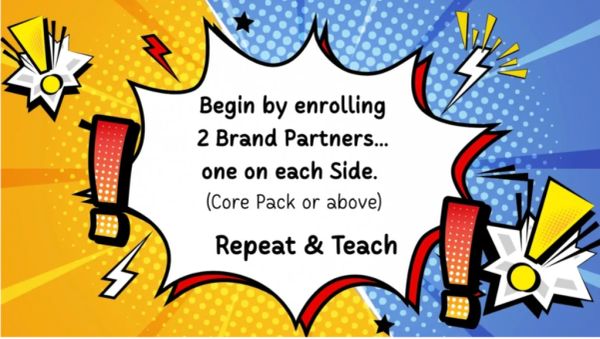
In a binary compensation plan, every Brand Partner builds two Sides/Teams. 


Just as the phototherapy technology reminds the body to return to a state of balance and equilibrium, the LW pay plan encourages balanced Business Volume on the left and right Sides.  


To CHANGE your Placement Settings to the Opposite Side...

  • From your Back Office > Click on your name at the top 
  • Select Change Settings and scroll down to What is your Binary Placement Setting? 
  • Select Build Left or Build Right


Success Tip

Best to keep people who know one another on the same Side (i.e. family, friends who know one another, people from church or groups.

Resources

Download PDF
return to top

Copyright © 2022  NittyGritty 101 - All Rights Reserved. Hosted by a LW Independent Brand Partner


Powered by

This website uses cookies.

We use cookies to analyze website traffic and optimize your website experience. By accepting our use of cookies, your data will be aggregated with all other user data.

Accept